Crafting a Conversational Ads Manager: Using Claude Code Plugins for the Spotify Ads API
Overview
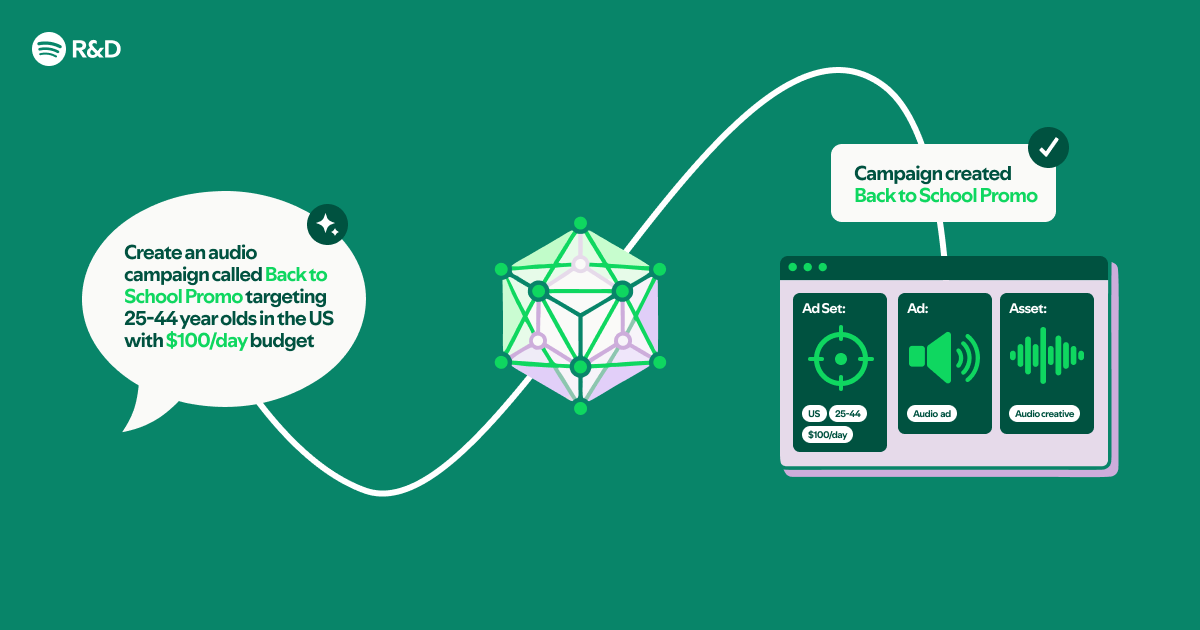
This tutorial walks you through building a natural language interface for the Spotify Ads API using Claude Code plugins. Instead of writing traditional compiled code, you will leverage OpenAPI specifications and Markdown documentation files to create a conversational tool that can manage ad campaigns, retrieve analytics, and adjust targeting—all via plain English commands. By the end, you'll have a prototype that accepts queries like “Show me the top-performing ad sets from last week” and executes the corresponding API calls.
Prerequisites
- Spotify Ads API Access: A valid API key and client credentials. Sign up at Spotify Ads Developer Portal.
- OpenAPI Specification: The official Swagger/OpenAPI file for the Spotify Ads API. Download from the developer portal.
- Markdown Documentation: Supplementary API documentation in Markdown format (e.g., guides, parameter descriptions).
- Claude Code Environment: A working installation of Claude Code (desktop or CLI) with plugin support enabled.
- Basic Familiarity: Understanding of REST APIs, JSON, YAML, and command-line operations.
Step-by-Step Instructions
1. Prepare the API Spec and Documentation
Place your OpenAPI spec file (e.g., spotify-ads-api.yaml) and your Markdown documentation (e.g., ads-guide.md) in a dedicated folder. Claude Code plugins can read these files directly—no parsing code needed. Ensure the spec is valid and all endpoints include summary or description fields, as these will be used by the plugin to understand intent.
# Example folder structure
~/spotify-ads-interface/
├── spotify-ads-api.yaml
├── ads-guide.md
└── plugin-config.json
2. Create a Claude Code Plugin
Claude Code plugins are configuration files that tell the AI how to interact with external tools. Create a file named plugin-config.json with the following structure:
{
  "name": "spotify-ads-manager",
  "version": "1.0.0",
  "sources": [
    {
      "type": "openapi",
      "path": "./spotify-ads-api.yaml"
    },
    {
      "type": "markdown",
      "path": "./ads-guide.md"
    }
  ],
  "authentication": {
    "type": "oauth2",
    "credentials": "env:SPOTIFY_ADS_TOKEN"
  },
  "instructions": "You are a Spotify Ads assistant. Help users manage campaigns, create ad sets, and pull reports using natural language."
}
This plugin tells Claude Code to load the OpenAPI spec for endpoint definitions and the Markdown file for contextual guidance. The env:SPOTIFY_ADS_TOKEN variable injects your API token securely.
3. Load the Plugin into Claude Code
Open Claude Code and load the plugin via the command palette or by running:
claude code --plugin ./plugin-config.jsonAlternatively, if using the desktop app, drag the plugin-config.json onto the Claude Code window. You should see a confirmation message that the Spotify Ads plugin is active.
4. Define Conversation Rules
Inside the same plugin folder, create a file called chat-rules.md with custom instructions. For example:
# Conversation Rules
- Always ask for clarification if the user's request is ambiguous.
- Confirm before making changes (create, update, delete).
- Use the 'ads-guide.md' document for parameter recommendations.
- Format monetary values with two decimals.
Add this file to the sources array in plugin-config.json with type markdown. This gives Claude Code a behavioral guide.

5. Test the Natural Language Interface
Now you can start chatting. Example queries:
- “What are my active campaigns?” – The plugin maps this to
GET /campaigns?status=active. - “Create a new ad set with a budget of $500 for the next week.” – It creates a payload from the OpenAPI spec and sends a POST request.
- “Show me yesterday’s impressions for campaign XYZ.” – It fetches analytics for the specified campaign.
Claude Code handles the translation of natural language to API calls, using the OpenAPI spec to determine endpoints, parameters, and required fields.
# Example conversation
User: "Pause all ad sets that have spent more than $1000 this month."
AI: "This will pause 3 ad sets. Are you sure?"
User: "Yes."
AI: [Sends PATCH requests to /ad-sets/{id}/pause for each qualifying set.]
6. Advanced Customization
For more complex workflows, you can add custom functions to the plugin by referencing a JavaScript or Python script. Create a functions folder with a script that exports functions, then configure in plugin-config.json:
"functions": {
  "path": "./functions",
  "scripts": ["budget-optimizer.js"]
}
This allows Claude Code to call your logic for tasks like budget pacing or audience overlap analysis.
Common Mistakes
Missing or Invalid Authentication
Claude Code will fail to execute API calls if the env:SPOTIFY_ADS_TOKEN is not set or expired. Use a tool like export SPOTIFY_ADS_TOKEN=your_token in your shell before launching Claude Code.
Incomplete OpenAPI Spec
If the spec lacks summary or operationId fields, the AI might misidentify the intent. Validate your YAML with a swagger editor and enrich endpoints with meaningful descriptions.
Ignoring Rate Limits
The Spotify Ads API has rate limits. The plugin does not enforce them by default—wrap sensitive calls with a custom function that checks remaining quota before proceeding.
Overly Broad Instructions
If the instructions field in the plugin is too vague, the AI may make dangerous changes (e.g., deleting campaigns). Always include confirmation rules and role constraints.
Summary
By combining an OpenAPI spec, Markdown documentation, and a Claude Code plugin, you've built a fully functional natural language interface to the Spotify Ads API without writing a single line of compiled code. This approach reduces development time and allows marketing teams to interact with ad data conversationally. Extend the plugin with custom functions for advanced logic, and deploy it as a chat tool for your organization.